How to fill in the invoice
- Add your logo, business name and contact details. They're remembered for your next invoice.
- Fill in the client under Bill to, and check the invoice number, date and payment terms.
- Add a line for each product or service with its quantity or hours and its rate. Add a discount, sales tax, shipping and any deposit already paid.
- Say how to pay, then download the PDF to email, or open it to print. An Excel copy is there too.
What to put on an invoice
- Your business name and contact details, and the client's name and address.
- A unique invoice number and the invoice date.
- The payment terms and due date, such as Net 30, so there's no question about when payment is expected.
- Each product or service with its quantity or hours, rate and amount, so the client can check the bill line by line.
- Subtotal, discount, sales tax, shipping and total, then any deposit paid and the balance due.
- How to pay: bank transfer, check, or a payment link, and the client's PO number if they gave you one.
Invoices are also records for your own taxes. IRS Publication 583 lists invoices among the documents that show a business's gross receipts, and records that support income are generally kept for 3 years from the date the return is filed. Save a copy of every invoice you send.
A worked example
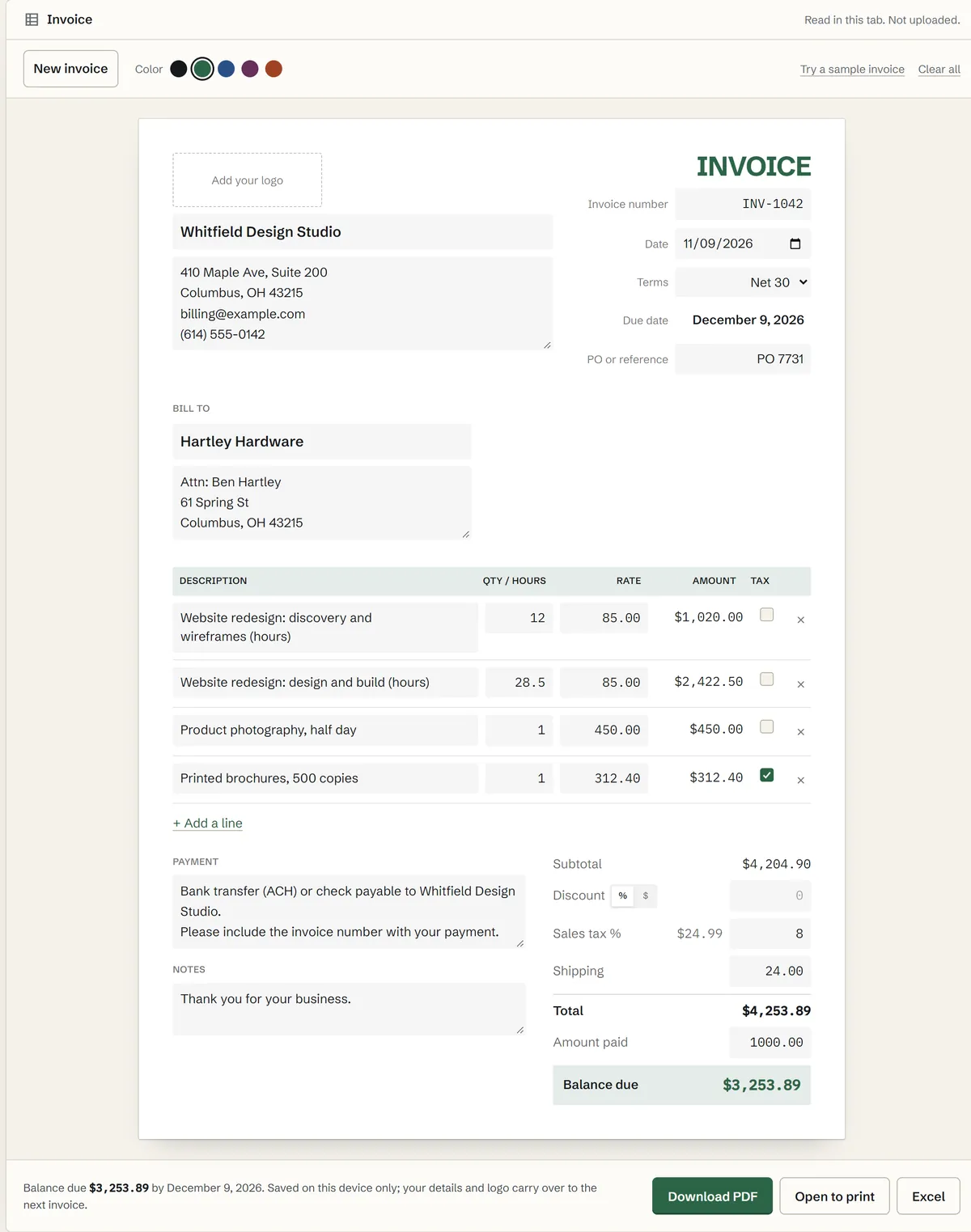
A design studio bills a hardware store for hourly website work, a flat-fee photo shoot and printed brochures, with $24.00 shipping, 8% sales tax on the brochures only, and a $1,000 deposit already paid:
Invoice INV-1042.xlsx
| Row | A | B | C | D |
|---|---|---|---|---|
| 1 | Description | Qty | Rate | Amount |
| 12 | Discovery and wireframes (hours) | 12 | $85.00 | $1,020.00 |
| 13 | Design and build (hours) | 28.5 | $85.00 | $2,422.50 |
| 14 | Product photography, half day | 1 | $450.00 | $450.00 |
| 15 | Printed brochures, 500 copies | 1 | $312.40 | $312.40 |
The subtotal is $4,204.90. Sales tax is 8% of the $312.40 of brochures: $24.99. With shipping the total is $4,253.89, and after the $1,000.00 deposit the balance due is $3,253.89, due 30 days after the invoice date. Open Try a sample invoice to see it filled in.
Payment terms, discounts and sales tax
Terms set when payment is due: Due on receipt, or Net 7, 15, 30, 45 or 60 days after the invoice date. The due date is worked out and printed in bold, which is what most clients look for first. If a contract counts working days instead, the business days calculator finds the date, skipping weekends and federal holidays.
A discount can be a percent or a dollar amount, and it comes off before sales tax. When only some lines are taxable, the discount lowers the taxable amount in proportion. Sales tax rules depend on your state and what you sell, so check with your state's revenue department if you aren't sure a line is taxable. This template does the arithmetic; it isn't tax or legal advice.
Invoices for contractors, freelancers and hourly work
For hourly work, put the hours in Qty / hours: 7.5 hours at $60.00 is $450.00. A line per task or per week reads better than one large total, and a clear description saves a round of questions before you get paid. Add the client's PO or project number under PO or reference when they use one. Quoting the job first? The estimate template makes a quote with a deposit and a signature line, then turns into this invoice when the work is done.
Tracking your hours first? The time card calculator totals clock-in and clock-out times, and the mileage log totals business driving if you bill travel. Setting your rates? The margin calculator shows the profit margin and markup on any price.
PDF, Excel and printing
The PDF is a real text document, not a picture, so clients can search it and it prints sharp at any size. Excel gives the same invoice as a spreadsheet you can keep or edit. Open to print sends the PDF to your printer. Your details, logo and payment instructions stay on this device, and New invoice clears the client and lines and moves to the next number. Mailing paper invoices? Print labels from Excel with your client list for the envelopes.