How to fill in the estimate
- Add your logo, business name and contact details. They're remembered for your next estimate and your invoices.
- Choose Estimate or Quote, fill in the client under Prepared for, and set how long the price is valid.
- Add a line for each part of the job: labor by the hour or the square foot, materials, fees. Add a discount or sales tax if they apply.
- Enter a deposit if you take one, write your terms, and keep the signature line so the client can accept.
- Download the PDF to email, or open it to print. When the client says yes, click Turn into invoice.
What to put on an estimate
- Your business name and contact details, and the client's name, address and job location.
- An estimate number and date, so you can find it later and match it to the invoice.
- A valid-until date. Prices for materials and labor change, and a date stops an old price from coming back months later.
- The work, line by line. Separate labor from materials, and give quantities: 600 square feet, 10 hours, 4 doors. A client can compare line items; they can't compare one lump sum.
- The total, any deposit and when the rest is due, such as 30% to schedule and the balance on completion.
- What's included and what isn't, and when work can start. Most disputes come from what the estimate didn't say.
- A place to accept: name, signature and date.
A worked example
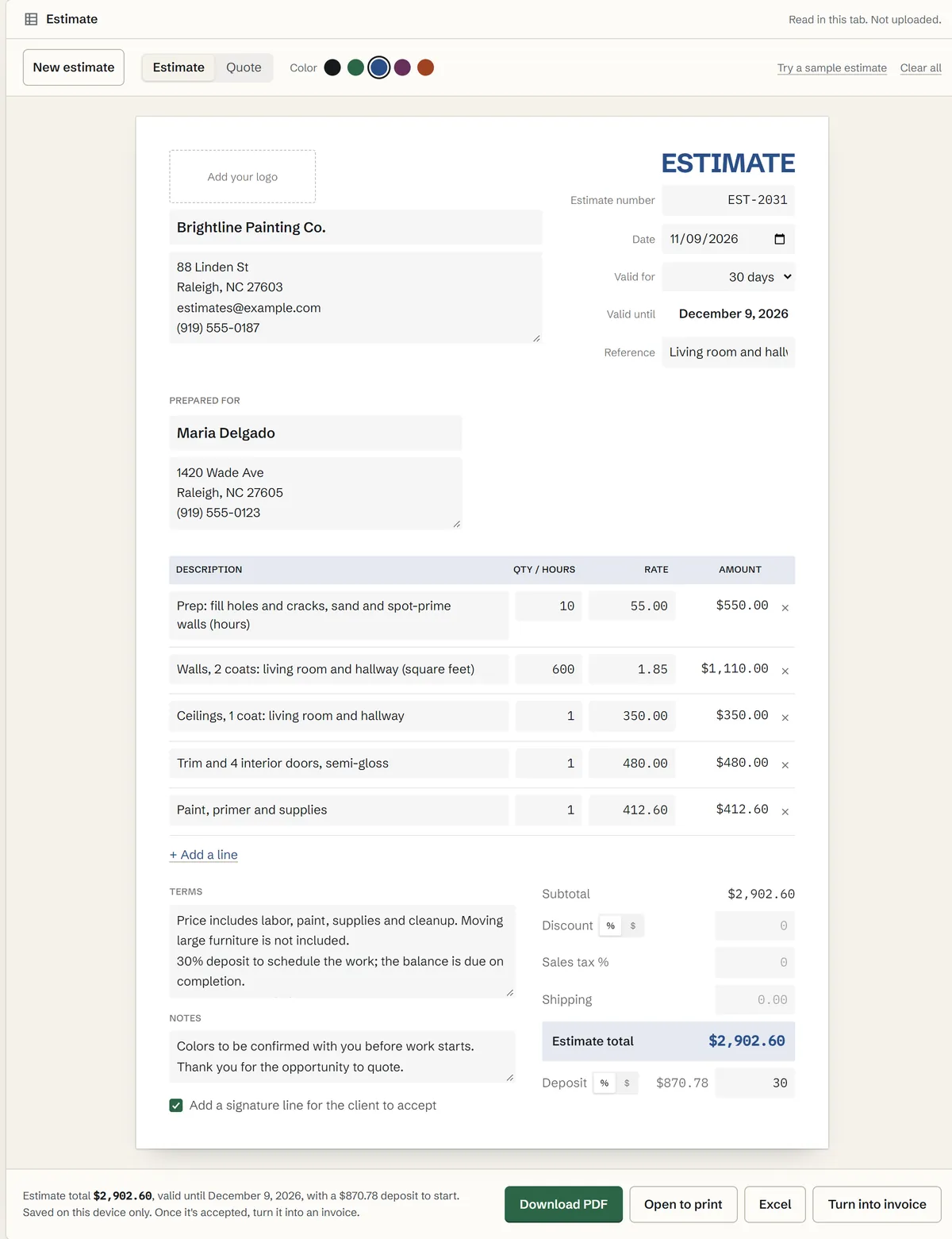
A painting company prices a living room and hallway: prep by the hour, walls by the square foot, ceilings and trim as flat prices, and materials on their own line, with a 30% deposit to schedule the work:
Estimate EST-2031.xlsx
| Row | A | B | C | D |
|---|---|---|---|---|
| 1 | Description | Qty | Rate | Amount |
| 12 | Prep and spot-prime walls (hours) | 10 | $55.00 | $550.00 |
| 13 | Walls, 2 coats (square feet) | 600 | $1.85 | $1,110.00 |
| 14 | Ceilings, 1 coat | 1 | $350.00 | $350.00 |
| 15 | Trim and 4 interior doors | 1 | $480.00 | $480.00 |
| 16 | Paint, primer and supplies | 1 | $412.60 | $412.60 |
The estimate total is $2,902.60. The 30% deposit is $870.78, and the balance of $2,031.82 is due on completion. The price is valid for 30 days, and the PDF ends with a line for the client to sign and date. Open Try a sample estimate to see it filled in.
Estimate vs quote vs bid vs invoice
- Estimate: your best figure for the job, which can change once the work is underway, for example when walls need more repair than expected.
- Quote: a fixed price for the work described. If the work changes, the price is quoted again.
- Bid: a price offered to win a job, often against other contractors, usually to a set specification.
- Invoice: comes after the work, asking for payment of the agreed amount.
The title alone doesn't decide how a price is treated; the wording does. If the price can change, say how, such as “work beyond this scope is billed at $55 an hour.” Some states and trades have rules of their own for written estimates and contracts, auto repair and home improvement among them, so check the rules where you work.
Estimates for contractors, painters, landscapers and cleaners
Contractors and handymen. List labor, materials, permits and disposal on separate lines. Where a client still has to choose a fixture or finish, put in an allowance and say so in the terms.
Painting. Price walls by the square foot or by the room, and say how many coats, what prep is included and who moves the furniture.
Landscaping and lawn care. Price one-time work such as mulch or planting by quantity, and regular mowing per visit or per month, with how many visits the price covers.
Cleaning. Price per visit, with the size of the space and how often, and list extras such as inside the oven or windows as their own lines so the client can add or drop them.
Not sure your price leaves enough profit? The margin calculator shows the profit margin and markup on any price.
Deposits, expiry dates and getting it signed
A deposit covers your materials and holds the client's spot on your schedule. Enter it as a percent or a dollar amount and it prints under the total. Deposit rules differ by state and trade. In California, for example, the down payment on a home improvement contract can't be more than $1,000 or 10 percent of the contract price, whichever is less, according to the Contractors State License Board.
The valid-until date protects you when prices rise; 30 days is a common choice. The signature block gives the client a clear way to say yes: they sign, date it and send back a photo or a scan, and you have a record of what they accepted.
Turning an accepted estimate into an invoice
When the work is done, click Turn into invoice. The invoice template opens with the client, every line item, the discount and the sales tax filled in. It takes the next invoice number and uses the estimate number as the reference, so the two documents match. Change any lines that changed on the job, enter the deposit under Amount paid, and the balance due is worked out for you. If you drive to jobs, the mileage log keeps track of the business miles.
PDF, Excel and printing
The PDF is a real text document, not a picture, so it's small enough to email and prints sharp. Excel gives the same estimate as a spreadsheet you can keep or change. Open to print sends it to your printer for a client who wants paper. Your details, logo and terms stay on this device for the next estimate, and nothing is uploaded.